
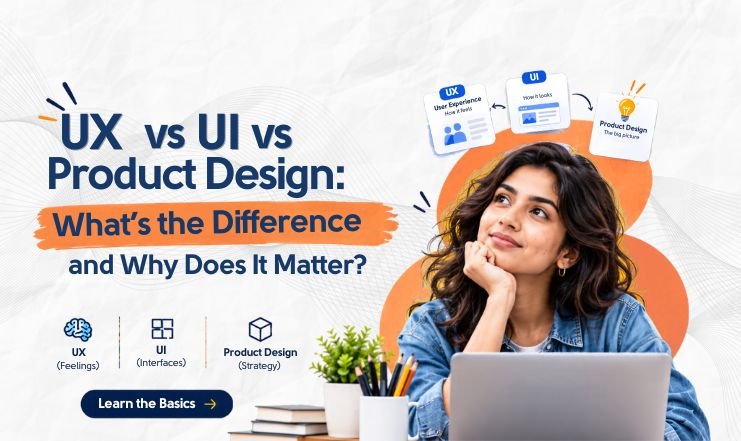
UX vs UI vs Product Design: What’s the Difference and Why Does It Matter?
Web D School | Expert Economy
A product can look polished and still be frustrating to use. A flow can be easy to navigate and still solve the wrong problem. And a solution that users love may be too expensive or difficult to build.
That is why UX, UI, and Product Design are related but not interchangeable.
UX focuses on the experience around what a person is trying to accomplish. UI focuses on the interface they see and interact with. Product Design connects those decisions to user needs, business priorities, and technical reality.
For anyone looking to develop these skills through a ui ux design course in Chennai, understanding this relationship is important because good product work goes beyond creating polished screens. It requires designers to consider user needs, business priorities, and technical constraints together.
Understanding the difference helps designers diagnose the actual problem instead of immediately opening Figma and redesigning the nearest screen.
Quick Answer: UX vs UI vs Product Design
UX Design focuses on the user’s overall experience while trying to accomplish a goal.
UI Design focuses on the interface — layout, typography, colour, components, interaction states, and feedback.
Product Design brings UX and UI together while considering business value, technical constraints, prioritisation, and measurable outcomes.
The three overlap constantly. The important question is not which discipline “owns” a problem, but what is actually broken and what evidence would help you decide what to change?
1. UX Design Focuses on the Experience Around a Goal
User Experience (UX) is what a person goes through while trying to accomplish something.
That includes usability, but it is broader than simply counting clicks or reducing the number of screens. Trust, timing, clarity, emotion, and expectations can all affect the experience.
For example, imagine a loan application with a short, simple form. Technically, it may be easy to complete. But if the app suddenly asks for access to your contacts without explaining why, the experience can still feel unsafe or untrustworthy.
The same applies to checkout. A customer may move through the screens quickly but become frustrated when an unexpected delivery charge appears at the final step.
UX therefore starts with a question such as:
What is the user trying to accomplish, and what is getting in the way?
UX also does not end when the prototype is approved. The chapter describes it as a continuing loop: Discover → Define → Design → Build → Release → Measure → Learn → Iterate.
2. UI Design Turns Interaction Into Communication
User Interface (UI) is what people see and interact with: layout, typography, colour, buttons, spacing, states, and feedback.
Calling UI “the pretty part” is a mistake.
Visual decisions communicate what users can do, what just happened, what requires attention, and what happens next. A weak button hierarchy can make the next action unclear. A disabled button without an explanation can make users feel stuck. A loading state can reassure users that something is happening instead of leaving them staring at a blank screen.
This is why UI is part of the experience rather than something that simply comes after UX.
Consistency also plays a key role in UI design. When similar elements behave and appear consistently, users can apply what they have already learned across the product, making interactions more predictable and easier to understand.
A useful UI question is:
Can the user understand and operate this interface?
Good UI makes the underlying experience easier to understand. It does not compensate for a fundamentally wrong product decision.
3. Product Design Balances Users, Business, and Technology
Product Design operates at a wider level.
It connects the user experience and interface with three realities:
- User value: Does this solve something that matters to users?
- Business value: Does it support an important business or organisational goal?
- Technical reality: Can it actually be built, operated, and maintained?
The chapter describes Product Design as a discipline involving prioritisation, feasibility, metrics, and trade-offs rather than optimising for only one dimension.
This distinction matters because good design decisions often involve competing priorities.
A feature could be highly desirable to users but prohibitively expensive to build. Another could be technically simple but provide little meaningful value. A third could improve the business metric while creating a frustrating experience.
Product Design exists in that space between these competing realities.
Product Design also means making practical trade-offs. A solution may be useful to users but difficult to build, or easy to build but not valuable enough to pursue. Designers need to consider these factors before deciding what to move forward with.
4. UX, UI, and Product Design Overlap — They Are Not Separate Boxes
The simplest comparison is:
| UX | UI | Product Design | |
| Primary focus | User experience | Interface | Product outcome |
| Starts with | User problem | Interface and interaction | User, business, and technical context |
| Key question | What is the user trying to accomplish? | Can the user understand and operate it? | Why does this matter, and what should we build? |
| Typical work | Research, journeys, flows, testing | Visual systems, components, interaction states | UX + UI + prioritisation, trade-offs, metrics |
| Success involves | Better experience | Clearer interaction | Meaningful product outcome |
The boundaries are deliberately not rigid.
A UX Designer may work together with UI. A Product Designer may handle both UX and UI. A Product Manager, developer, content designer, and researcher may also influence the final experience.
The exact responsibilities depend on the organisation. What matters is understanding which question you are answering at a particular moment. The chapter explicitly notes that job titles vary and that smaller teams often combine several responsibilities.
5. Use the Three-Layer Product Test Before Redesigning
One of the most useful ways to distinguish UX, UI, and Product Design is to diagnose the problem in three layers:
UI
What does the user see and interact with?
Look for unclear hierarchy, confusing controls, poor feedback, visual inconsistency, or interaction states that do not communicate what is happening.
UX
What is the user trying to achieve, and what friction are they experiencing?
Look for confusing flows, missing information, unnecessary effort, mistrust, poor timing, or an experience that prevents users from reaching their goal.
Product
Why does solving this matter, and how will success be measured?
Look for business impact, prioritisation problems, technical constraints, retention, conversion, cost, or other meaningful product outcomes.
The important part is that these layers overlap. They are not a method for forcing every problem into one category. They help you identify where to investigate first.
Consider a checkout:
- UI problem: The primary button is visually unclear.
- UX problem: The order of steps is confusing.
- Product problem: A hidden delivery fee damages trust and conversion.
Fixing the button does not necessarily fix the other two.
6. The Real Difference Is the Question You Are Trying to Answer
UX, UI, and Product Design often overlap because they can all be involved in solving the same problem. The difference becomes clearer when you look at the question each one is trying to answer.
UI asks: What does the user see and interact with? It focuses on the interface, including layout, typography, buttons, visual hierarchy, states, and feedback.
UX asks: What is the user trying to achieve, and what is making that difficult? It looks beyond individual screens to understand the user’s goals, journey, expectations, and points of friction.
Product Design asks: Why does this problem matter, and what solution makes sense for the product? It considers user needs alongside business goals and what can realistically be built and maintained.
Consider a product where users are abandoning a sign-up process. A UI perspective might examine whether the screens are clear and easy to understand. A UX perspective might investigate where users become confused or frustrated. A Product Design perspective might question whether the sign-up process is necessary, what the product needs to achieve, and which changes are worth prioritising.
The same problem can therefore lead to different questions, different investigations, and different design decisions. Understanding the question you are trying to answer helps you identify the right problem before deciding what to design.
Conclusion
UX, UI, and Product Design are different ways of looking at the same product reality.
UX asks whether the experience helps people accomplish their goals. UI determines how that experience is communicated through the interface. Product Design connects both to business priorities, technical constraints, and measurable outcomes.
The practical lesson is simple: diagnose before you design. If you identify the wrong problem, even excellent UI work can produce the wrong result.
6. FAQ
1. Is UX the same as UI?
No. UX concerns the broader experience a person has while accomplishing a goal, while UI concerns the interface they see and interact with. UI contributes to UX, but UX includes factors such as flow, trust, timing, clarity, and emotion that extend beyond visual interface design.
2. Is Product Design the same as UX Design?
No. Product Design generally includes UX and UI considerations while also dealing with business priorities, technical constraints, prioritisation, metrics, and trade-offs. The exact responsibilities vary by organisation, and one designer may cover several of these areas.
3. What does a Product Designer do?
A Product Designer helps teams make product decisions across user needs, experience, interface, business priorities, and technical reality. Depending on the company, the role may include research, flows, wireframes, UI design, prototyping, testing, prioritisation, and product metrics.
4. Is UI part of UX?
UI contributes directly to UX, but the terms are not interchangeable. A confusing interface can create a poor experience, but a polished interface cannot fix every UX problem. Users can experience problems involving trust, timing, content, flow, or product expectations even when the interface looks good.
5. Which should I learn first: UX or UI?
Start with understanding user problems and UX fundamentals, then develop UI skills alongside them. Strong visual execution is more useful when you understand what the interface needs to help users accomplish and why the design decision exists.
6. How do I know whether a design problem is UX or UI?
Use three questions: What does the user see and interact with? for UI; what are they trying to accomplish and what is getting in the way? for UX; and why does solving it matter and how will success be measured? for Product.