
Online
Full-Stack Web
Development Course
Build Complete Web Applications. Learn Remotely.
Master Frontend + Backend + Deployment with Framework-Led Training
Campus: Web D School, Chennai | Online: Available across India
Framework-Led Remote Learning
You won't just copy code from tutorials. You'll learn how to architect.
From Day 1, you train using BRIDGE frameworks (BRIDGE + BrandLens360 + PPR) adapted for Development learning.









Learning curve videos about our Fullstack Web development course.
Watch short videos showcasing our Fullstack Web development course, teaching style, and real student projects.
Why Remote Learning
Works
(When Done Right)
Remote learning has opened doors, but most online development courses deliver generic content without real mentorship or strategic depth.
The Problem with Most Online Development Courses:
-
Pre-recorded videos with no interaction
-
Tutorial-style "follow along" coding
-
No code review or architectural feedback
-
No team collaboration experience
Our Online Full-Stack Program Is Different:
-
Live classes
Real-time coding instruction with Q&A
-
Code review
Professional feedback on your work
-
Pair programming
Remote collaboration practice
-
BRIDGE framework
Learn system design thinking
Tools Covered
Master industry-standard AI-powered tools used in Full Stack Development , professional design, development, and marketing workflows.
-
Bootstrap
-

CSS3
-

Figma
-
HTML5
-
Javascript
-

Jquery
-

Mango DB
-

Mango DB
-
Node JS
-

Adobe Photoshop
-
Python
-
React JS
-

Wordpress
Expansive Concepts
Full-Stack Development Course Syllabus
Master both front-end and back-end development with real-time projects and hands-on training. Build complete web applications from scratch using the latest technologies.
Figma, Photoshop, HTML5, CSS3, Bootstrap 5, Javascript & JQuery
Module 1:
Figma
- Introdution to Figma
- Design Principle
- Webpage Layout Using Figma
Module 2:
Photoshop
- Introduction to Photoshop
- Webpage Layout & Image Optimization
Module 3:
HTML5 & CSS3
- Introduction
- Working with Text Elements
- Working with Tables, Working with Lists
- HTML5 Div Elements, Positioning
- CSS Style Rule, IDs & Classes and CSS Selectors
- Working with Box Models
- Working with Position
- Working with Animations
- Working with Flex and Grid
- Creating an Singlepage Website
- Creating an Multipage Website
- Creating an Single & Multipage Website with Responsiveness
Module 4:
Bootstrap
- Introduction To Bootstrap
- Project (Session - 1)
Module 5:
Javascript
- Introduction to JavaScript
- Variable Declaration, Data types, & Operators
- Looping & Conditional Statements
- Array and String Methods
- Timing Events
- JS DOM
- JS Timing Events
- Creating a CRUD Operation or Billing Software
- Javascript AJAX
- Anime.js & GSAP, Aos & Owl Carousel
- jQuery-UI Components
Elective I - React JS
Module 1:
React JS - Introduction
- Environmental Setup
- Folder Structure
- Understanding npm
- Understanding Components
- JSX
Module 2:
Props & State
- Understanding Props
- Understanding State & SetState
- Destructuring state and Props
Module 3:
Event Handling
- Binding event handlers
- Keyboard and Mouse events
Module 4:
Conditional Rendering
- Conditional Rendering
- List Rendering & keys
- Styling elements using Class
Module 5:
Lifecycle Methods
- Component lifecycle methods
Module 6:
React Advanced Concepts
- useState
- useEffect
- useContext
- useMemo and etc.
Module 7:
React Plugins
- Bootstrap 5
- Browser Router
- MUI components
Module 8:
Http Requests
- Handling http requests
- Axios
- GET & POST request
Module 9:
Redux
- Overview of redux
Elective II - Angular
Module 1:
Introduction to Web Development
- Difference between Web Design and Web Development
- What is Angular JS
- Migrating to Angular 2+
Module 2:
Introduction to Angular
- Introduction to Angular
- What is Angular?
- Why Angular?
Module 3:
TypeScript Features
- Getting Started with TypeScript
- Working with tsc
- TypeScript Features
- TypeScript Classess
- Function: Inferring the types
- Interfaces
- Generic Types
- Generic Classes
- Generic Constraints
- Decorators
- Property, Class, Parameter Decorators
- Exports
- External Modules
- Namespace & Mixins
Module 4:
Software Requirements
- Setting up Environment
- Setting up an Angular Application
Module 5:
Understanding Component
- Basics of component
- Component Decorator
- Component Decorator details
- Creating Components
- Passing data to a Component
- Responding to Component Events
- Component Lifecycle
- Advantage and limitations of component
Module 6:
Data Binding in Angular
- One Way & Two Way Data Binding
- Understanding Modules
- Angular Bootstrap Process
Module 7:
Forms in Angular
- Two way data binding with ngModel
- User Input
- Form Controls in Angular
- Controls and Control Groups
- Form & NgForm
- Validation & Error Handling
- CSS-Forms
Module 8:
Dependency Injection in Angular
- Dependency Injection
- Why dependency injection?
- Dependency Injection Usage
- Configuring the injector
- Injectable Decorators
- Dependency Injection Tokens
Module 9:
Introduction to Directives
- Attribute Directives
- Difference between Directives and Component
- Create new Attribute Directives
- Structural Directives
- Creating Structural Directives
- Directive Metadata
- Directive Types
Module 10:
Pipes
- Chaining pipes
- Parameters in Pipe
- Custom Pipe
- Async Pipes
- Built In Pipes
Module 11:
Routing & Navigation
- Basic introduction to Router
- Route configuration
- RouteConfig, RouterLink, RouterOutlet
- Child Routes
Module 12:
Services & Providers
- Services in Angular
- Injecting the HeroService
- An Overview on Providers
- Example on Services
Module 13:
Events in angular
- Event Emitter Class
- Emit Method & Next Method
- Subscribe Method
Module 14:
Observables & RxJS
- Observables
- The RxJS Library
- Observables in Angular
- Practical Usage
Content Delivery System:
Wordpress
- Introduction to CMS and Word Press
- Download and install Wordpress
- Download themes and customization
- Page vs. Post and its content type
- Download and working with plugins
Elective I - Node JS - MongoDB
Module 1:
Node JS & Express JS
- Node JS Introduction
- Working with File system
- Creating a server using Node JS
- Working with html and File system connectivity
- Creating a QR-Code Project
- Creating a MVC Concept
- Creating a MVC Concept with other functionality
- Authentication using React and Firebase
Module 2:
MongoDB
- Setting up Environment
- Setting up an React Application
- MongoDB CRUD Operations
Elective II - Python - Django - SQL
Module 1:
Python
- Introduction of Python
- Variable Declaration, and Data Types
- Operator & Looping Statements
- Function & Classes
- File Handling
- OOPs
Module 2:
Django
- Introduction of Django
- Creating the Structure for Project
- Creacting application using Django
Module 3:
SQL
- SQL vs MySQL
- Installation, and Showing
- Creating a Table (Projects Fields) Using SQL
- Storing the Data in the Admin and User Panel Using Django
Elective III - Java - Springboot - SQL
Module 1:
Java
- Introduction to Java
- Variables, Data Types, Operators & Tokens, Object, Constructors, This Keyword
- Java Object Oriented Programming: OOPs
- Control Structures & Looping, String & Array
- Execution Handling & File Handling & IO
- Collection in Java
- Java Concurrency & Multithreading
- Java APIs
Module 2:
Spring Boot
- What is Spring Framework
- Spring Modules, What Are Spring Modules
- Spring Web MVC concept
- Aspect-Oriented Programming
- Spring Transaction
- Springboot Devtools
Module 3:
SQL
- SQL vs MySQL
- Installation, Showing, Creating & Droping Database
- Creating & Droping Table
- Inserting Data & CRUD Basic
- Constrains & ALTER Table
Cloud Technology:
Amazon Web Services
- Introduction to Amazon Web Services
- Introduction to Cloud Concepts
- AWS Global Infrastructure Overview
- VPC, Networking and Content Delivery
- AWS Storage and Database
- Serverless and Application Services, Monitoring and Analytics and Cloud Security
- AWS Architecting
- Pricing and Support, Migration and Innovation
Skills you will master
- UI/UX Design Principles & Wireframing
- Visual Design & Layout Planning
- Responsive Web Design & Cross-Device Optimization
- Front-End Development (HTML, CSS, JavaScript)
- Interactive Web Animations & User Interactions
- Modern Frameworks (React / Angular)
- State Management & Data Binding
- Routing, APIs & Dynamic Content Handling
- Back-End Development & MVC Architecture
- Database Design & Management
- Authentication & Security Implementation
- Content Management Systems & Website Deployment
- Cloud Computing & Serverless Architecture
- Scalable Application Development
- End-to-End Project Building & Deployment
You get to work on these Projects & many more
You’ll build real-world projects like these and more throughout the course.

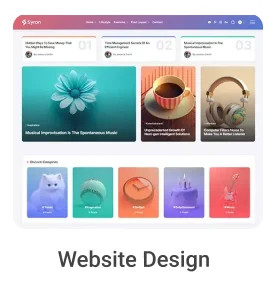
Single Page Design
Learn to design a single-page website using Figma and Photoshop.
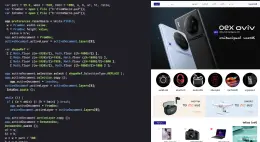
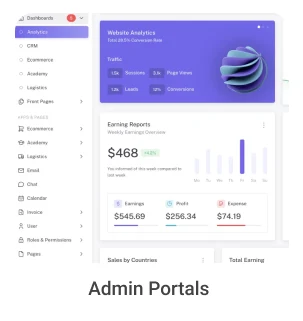
Front-end Development
Learn how to develop the single page website using HTML and CSS
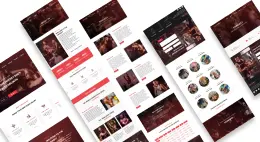
Multipage Website
Creating multiple pages and linking using HTML and CSS Libraries.
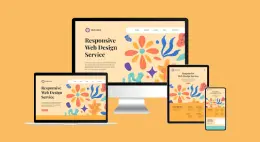
Interactive Website
Adding Interactivity to the website and dynamically updating the content of the website.
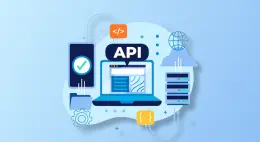
API Integration
Connection to a data source situated at a given Internet address, that can be accessible in a specified way using certain tools.

Web applications
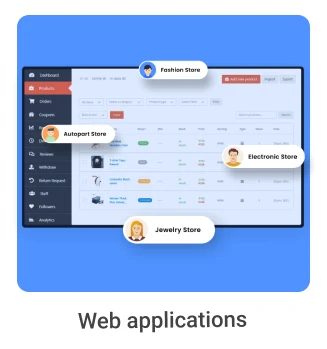
Creating Web applications by creating reusable components using React/Angular.

Backend Development
Creating a Management System using Node.js and MongoDB.
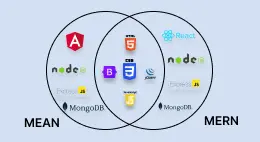
MEAN/MERN Stack Development
Building a Complete Full-stack Webpage Development using MEAN/MERN stack.
Placement Record
Showcasing the top companies where our students have been successfully placed.

















Investment & Batches
Secure your spot in the next cohort
Program Fee
Inclusive of 18% GST
Enroll NowValueAnchor: Comparable offline bootcamps often cost 1.5–2× more.
FEATURES
- Live interactive coding sessions (75 or 38 sessions based on track)
- 3 full-stack development simulations
- BRIDGE framework training for system design
- Complete tool stack training
- Code review and feedback
- Vinci Studio Remote Certification
- Job Zone placement support

The Interview Advantage
Web D School students answer like professionals
Foundation (data model + requirements) → Connection (API + architecture) → Destination (scale)
Database choices + API patterns + Component hierarchy + Deployment strategy
Systematic architecture + Business logic + Review cycles + Optimization choices
Course Features
Comprehensive training designed for your professional growth.
Remote Career Readiness & Certification
Online learners receive the Vinci Studio Remote Certification.
This certification confirms that you have been trained in professional frameworks – BRIDGE, BrandLens360, and PPR and can operate within a structured, professional design workflow.

Testimonials
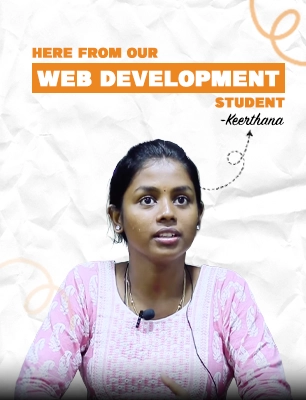
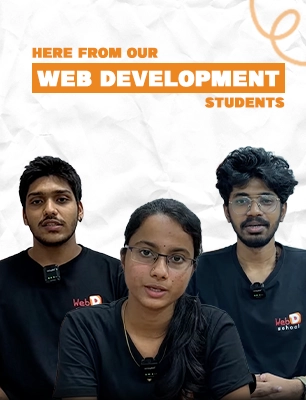
Real Stories! Real Impact!
Hear how creators transformed their passion into a thriving career.
Roles This Prepares You For
Build a foundation for immediate employment and long-term growth.
The Complete Web D School Ecosystem

What Our Students Say
Hear from our students about their journey of support, learning, and growth

Muthuram
Web Design & Developer
★★★★★
I did Web Development for my professional career growth , excellent center to study,great atmosphere ,peaceful place for study.teaching staff Mr.Saravanan performed well to teach a concept of our need,staff are very close with students to clear the doubts thanks web d school

Prasath Govindaraju
Web Design & Developer
★★★★★
Great place to learn Web Design/Web Development. We get contact of experienced trainers which is the best part about this place. At the end of the course, as a Web Developer, all we want is the confidence to say 'Hey I can design this website because I am a good Web Developer!

Venkat
Web Design & Developer
★★★★★
I have completed Front end development course here. It's worthy to learn all designing & development course at Web D School. A very good training system and trainer teach all the concepts clearly. Thank u Web D School.
Frequently asked questions
All the info you need about Web D School’s courses and career outcomes, made simple.
Web Design and Development is the process of constructing a website from scratch & making it purposeful. it includes designing the interface , planning the structure to enhance user experience, writing the code, and constantly updating the site to keep its functionality smooth for the visitors.
Websites form the digital identities of corporate brands. The appearance, content, and design of the website create a huge impact in building the brand image and brand popularity.
Our online web design and development course covers the following topics under web design - information architecture , web graphics design, website structure, User interface, Navigation ergonomics, Website layout, Colours, Contrasts, Fonts, amongst other things.
No! Although that would make the process relatively easier for you, it is not a requirement for our web design and development course.
The online course extends to Six months, spread across 75 sessions of 90 minutes each.
The fee for the online web design and development course is Rs. 58,000 (including GST), in case of a single payment at the beginning. If the payment is to be made in instalments, the full fee would amount to Rs. 64,500 (including GST), the down payment would be Rs 30,000, and the balance would be paid in Four EMIs in the forthcoming months.
You will receive the recorded session videos for all your classes, including the missed ones. You can try to learn from that, & can clear all your doubts in the next live interactive class.
Ready to Build Your Remote Career?
This program begins with clarity, not blind enrollment.
Our counselors will help you understand
If framework-led remote training matches your goals
Which batch schedule fits your lifestyle
How the strategic frameworks work in practice
What kind of portfolio you'll build
No pressure. No spam. Just honest guidance.